

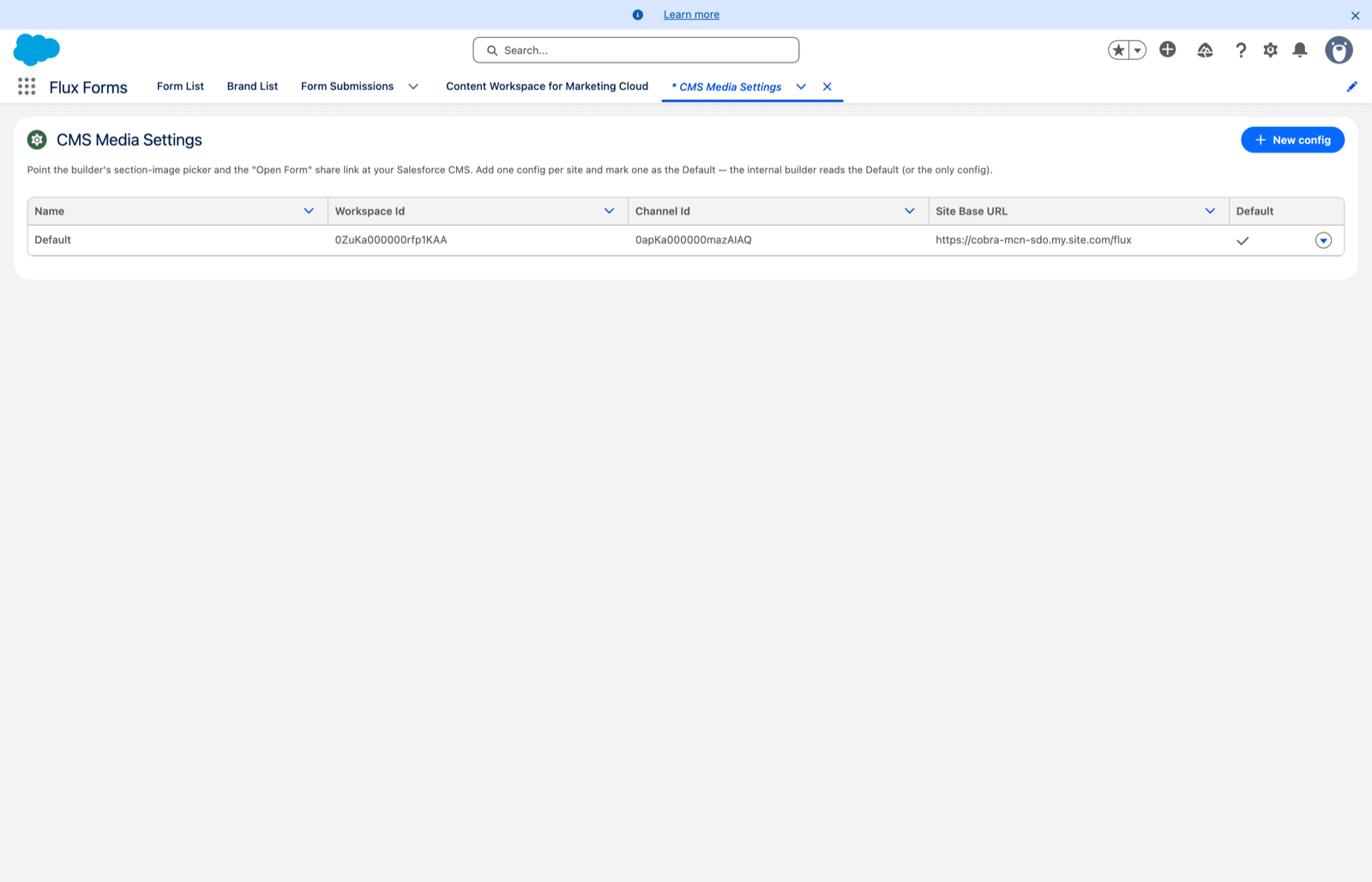
CMS Media Settings
Point the image picker and the public form link at your org's CMS and site.
For Salesforce administrators.
Three things need your org's own coordinates: the builder's section-image picker, the section and branding image thumbnails, and the header's Open Form live link.
They are configured in the Flux Forms Setup app → CMS Media Settings tab, which needs the Flux Forms - Configuration permission set.
You can keep one config per site and mark one as the Default — the builder uses the Default, or the only config.
The fields
Click New config, or Edit on a row:
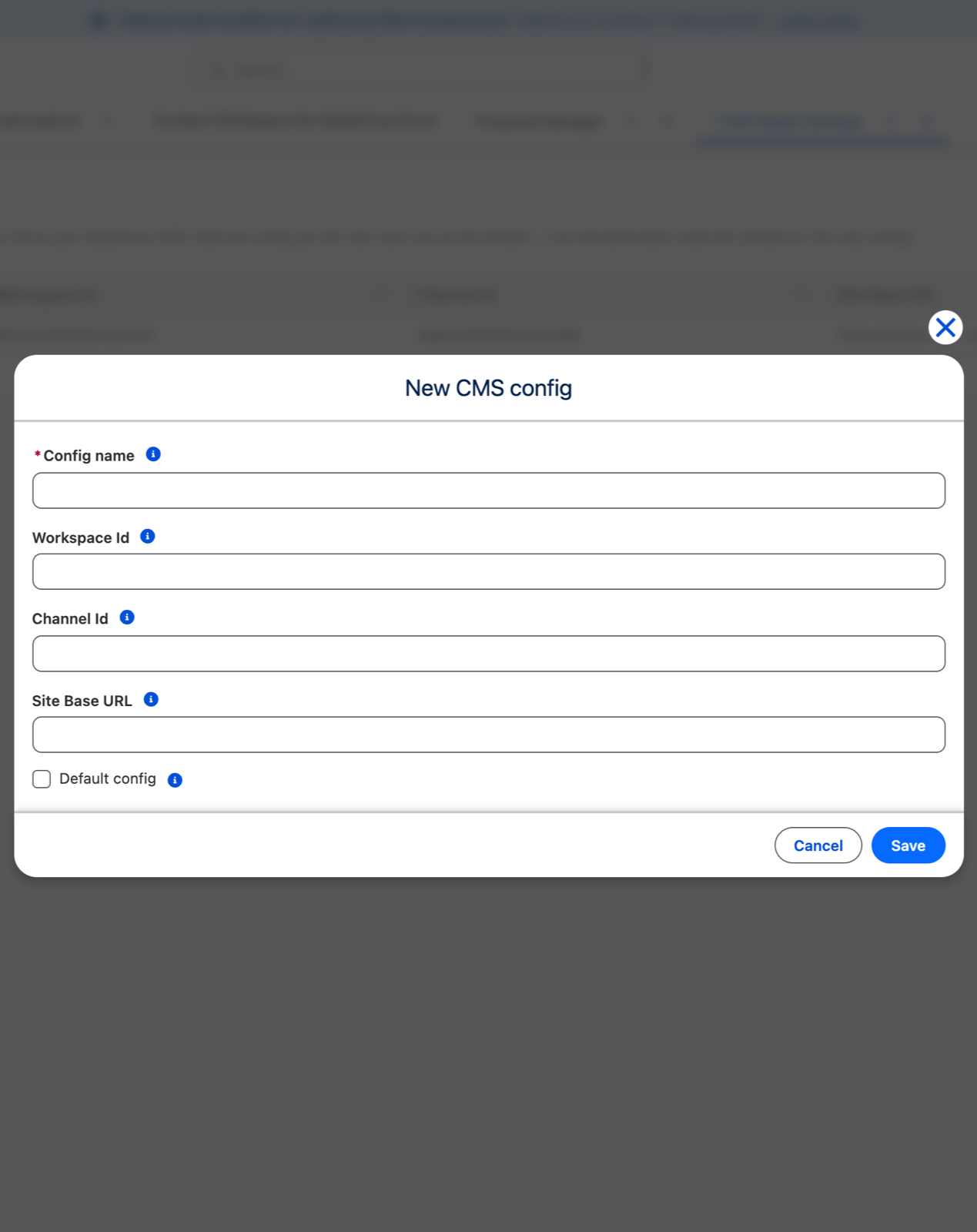
- Config name — a label for this config, typically the site name. Must be unique.
- Workspace Id — the CMS workspace whose images the picker lists. An 18-character id starting
0Zu; find it under Setup → Digital Experiences → Content. - Channel Id — the public delivery channel used to build image URLs. An 18-character id starting
0ap. - Site Base URL — the absolute address of your public site, for example
https://acme.my.site.com/forms, with no trailing slash. This is what the Open Form link is built from. - Default config — tick this on the config the builder should use.
Click Save. Each row's menu offers Edit, Set as default and Delete.
What breaks without them
- No Workspace Id → the image picker shows "No images available".
- No Site Base URL on the Default config → the Open Form dialog stays disabled, and nobody can copy a public link.
These values are org-specific
They are never shipped with the package. Each org sets its own, so this is a step on every new install and every sandbox refresh.
Also required: publish the workspace
Setting the ids is not sufficient for images to reach visitors. Two further steps, done once in Salesforce CMS:
- The CMS workspace must be published to a public delivery channel on the site.
- Each image must be published to that channel.
Without this the builder shows the image but visitors see a placeholder — the builder reads the workspace directly, the public form reads the channel.
And workspace membership for your builders
The picker only lists images from a workspace the user is a member of. General Salesforce CMS access is not enough.
Add every form builder as a member of the Flux Forms CMS workspace, for example as a Contributor. Without membership they see "No images available" no matter how the settings are configured — this is the single most common support question about the picker.