

Form health
The check that stands between a broken form and your visitors.
The Health section at the bottom of the sidebar checks your form for problems before you go live. It has two items with live counts: Errors and Warnings.
Errors block publishing
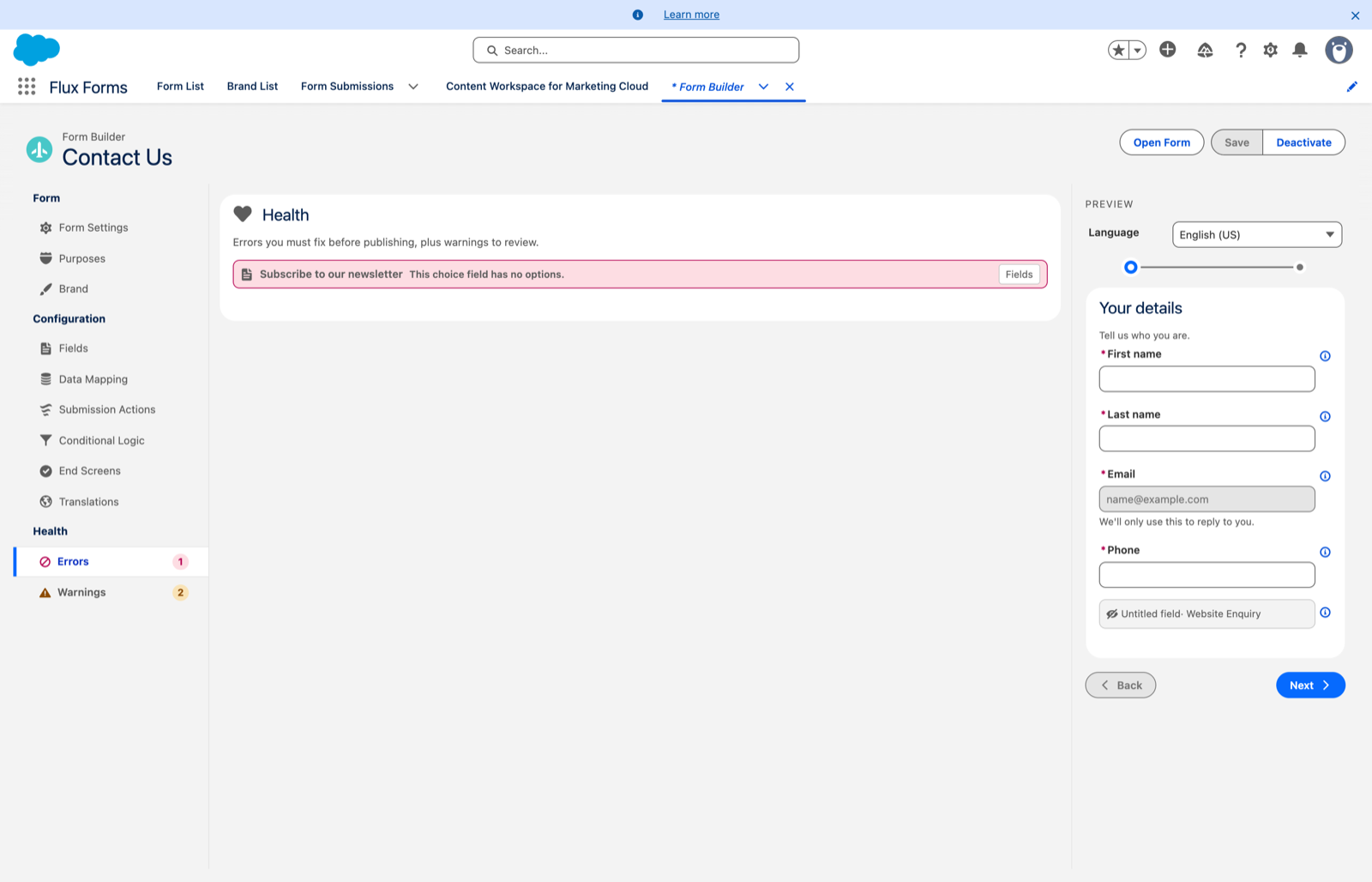
Errors are things that would break the form for visitors:
- a choice field with no options
- a rule pointing at a deleted field, or at a section or end screen that no longer exists
- an action with no target
- a rule that submits the form the moment it loads
You cannot activate a form while it has errors. The Activate button stays disabled and tells you how many to fix.
Warnings do not
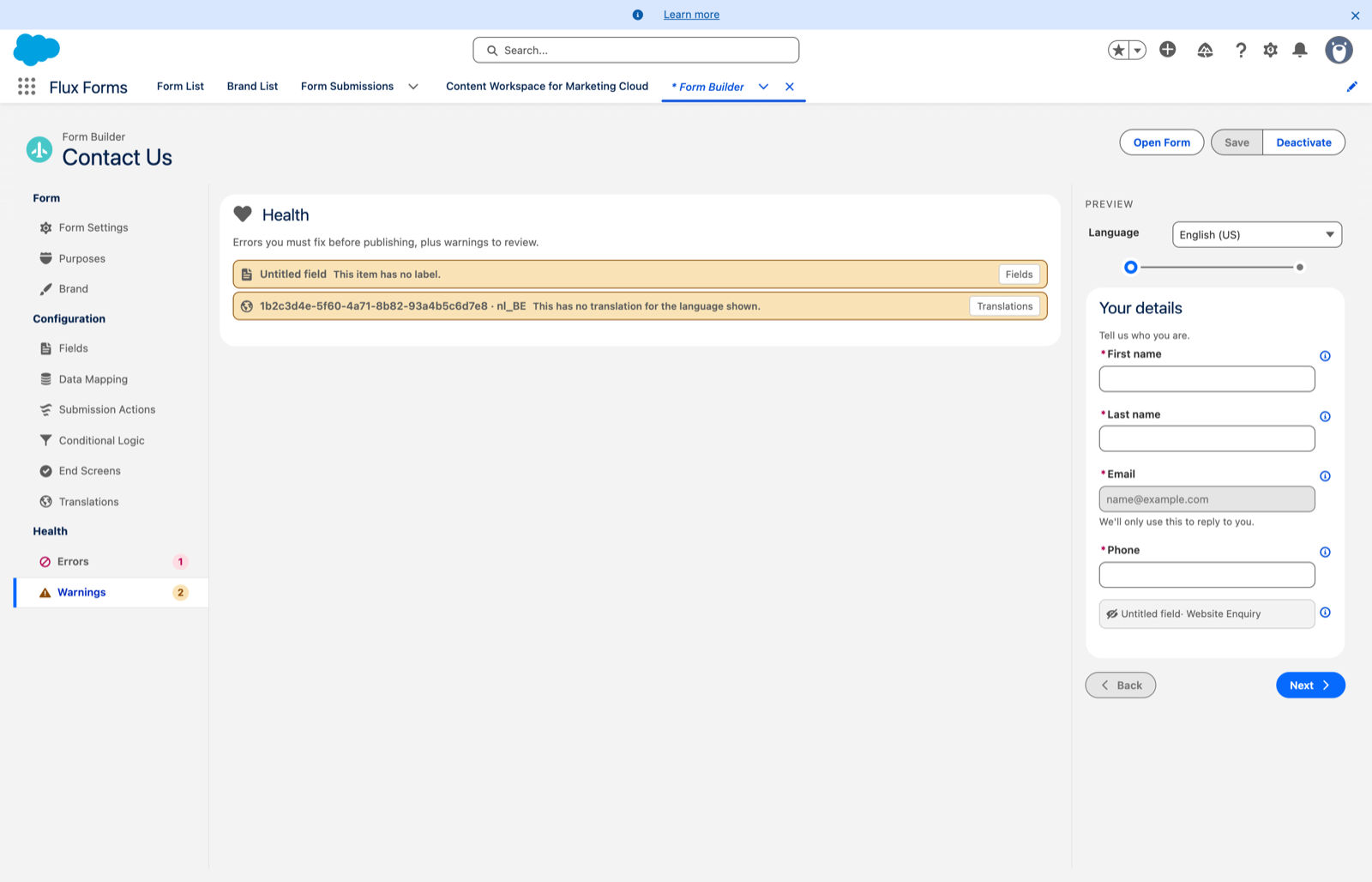
Warnings are worth reviewing but do not block publishing:
- an unlabelled field
- an empty section
- a condition comparing against a value that is not one of the field's options
- a field set to start hidden with no rule that can ever show it
Using it
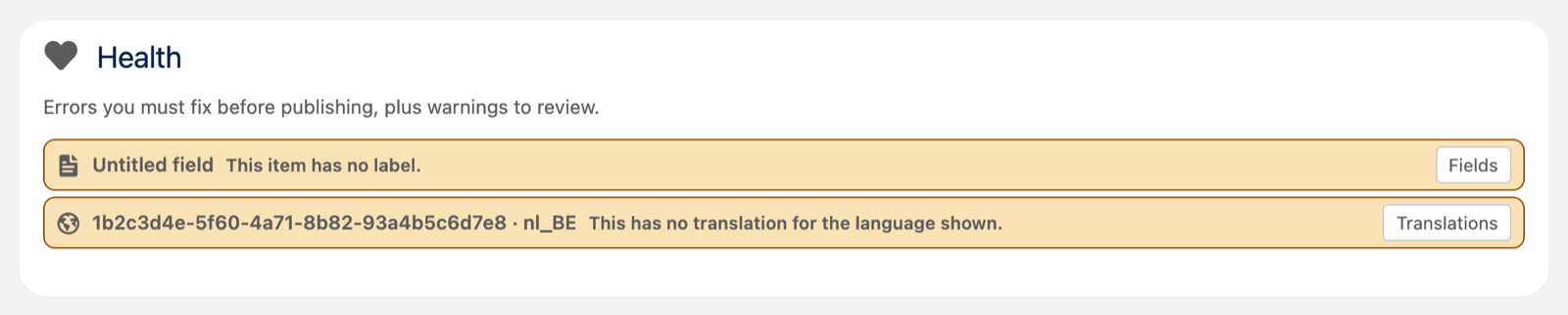
Click Errors or Warnings to see the list. Each row explains the problem, and clicking it jumps you to the scope where you can fix it.
When both counts reach zero, Activate enables.
It is enforced server-side too
The same checks run on the server, so a form can never be activated with errors even outside the builder. The Health panel is a convenience for finding them, not the thing that enforces them.
Warnings are where the interesting bugs hide. An error is usually obvious the first time you preview the form; a "condition compares against a value that isn't one of the options" warning is a rule that will silently never fire, which nobody notices until a campaign underperforms.