

Create a form
The Form List, the New Form dialog, and the rules on Form Keys.
The Form List
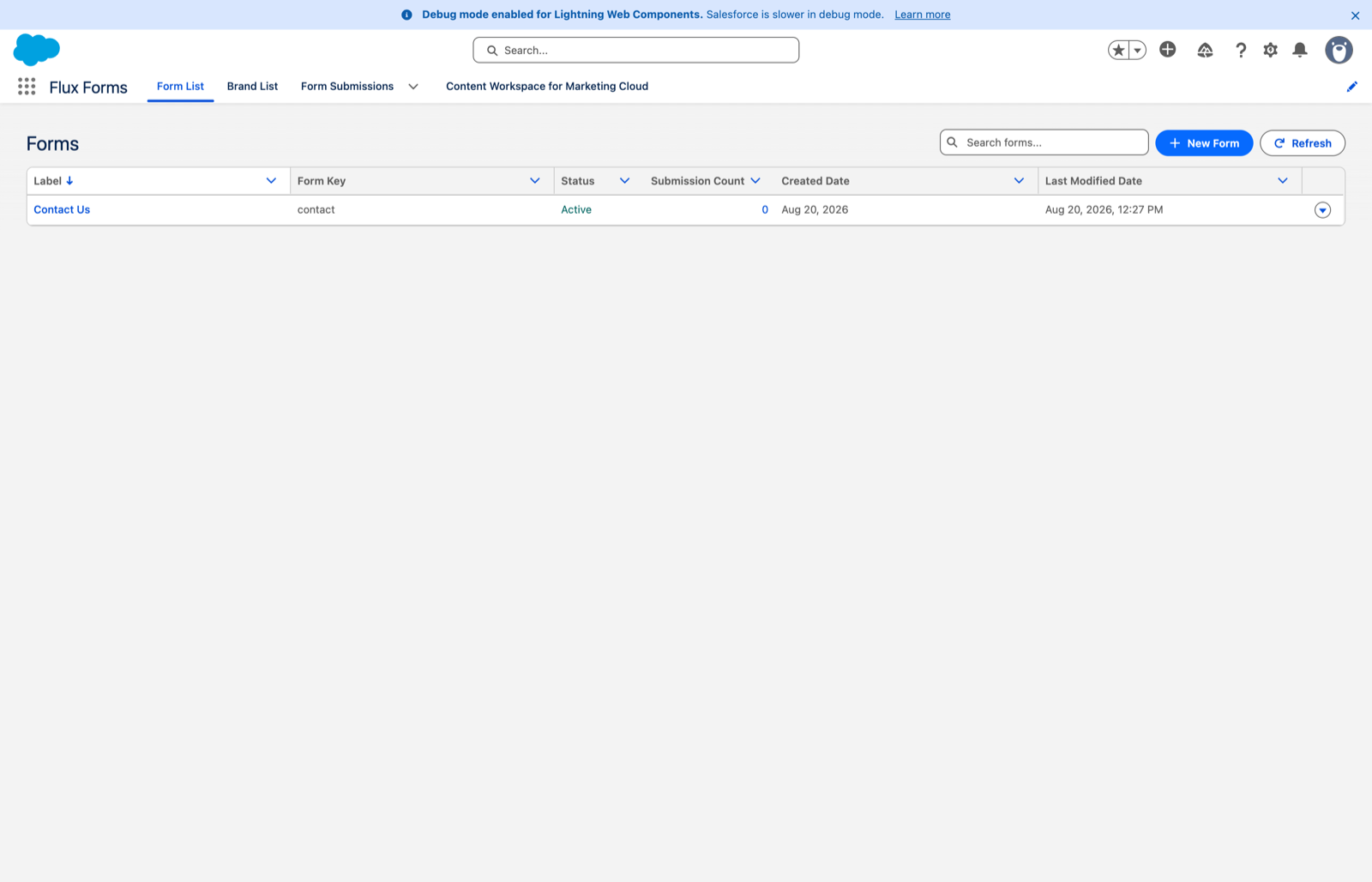

Flux Forms app → Form List gives you a searchable, sortable list of every form: label, key, status, submission count and dates.
- The label links into the Form Builder.
- The submission count links to that form's Submissions related list.
- The ⋮ actions menu at the end of each row offers Edit Form and View Form Submissions.
- Refresh reloads the list; the search box filters it.
New Form
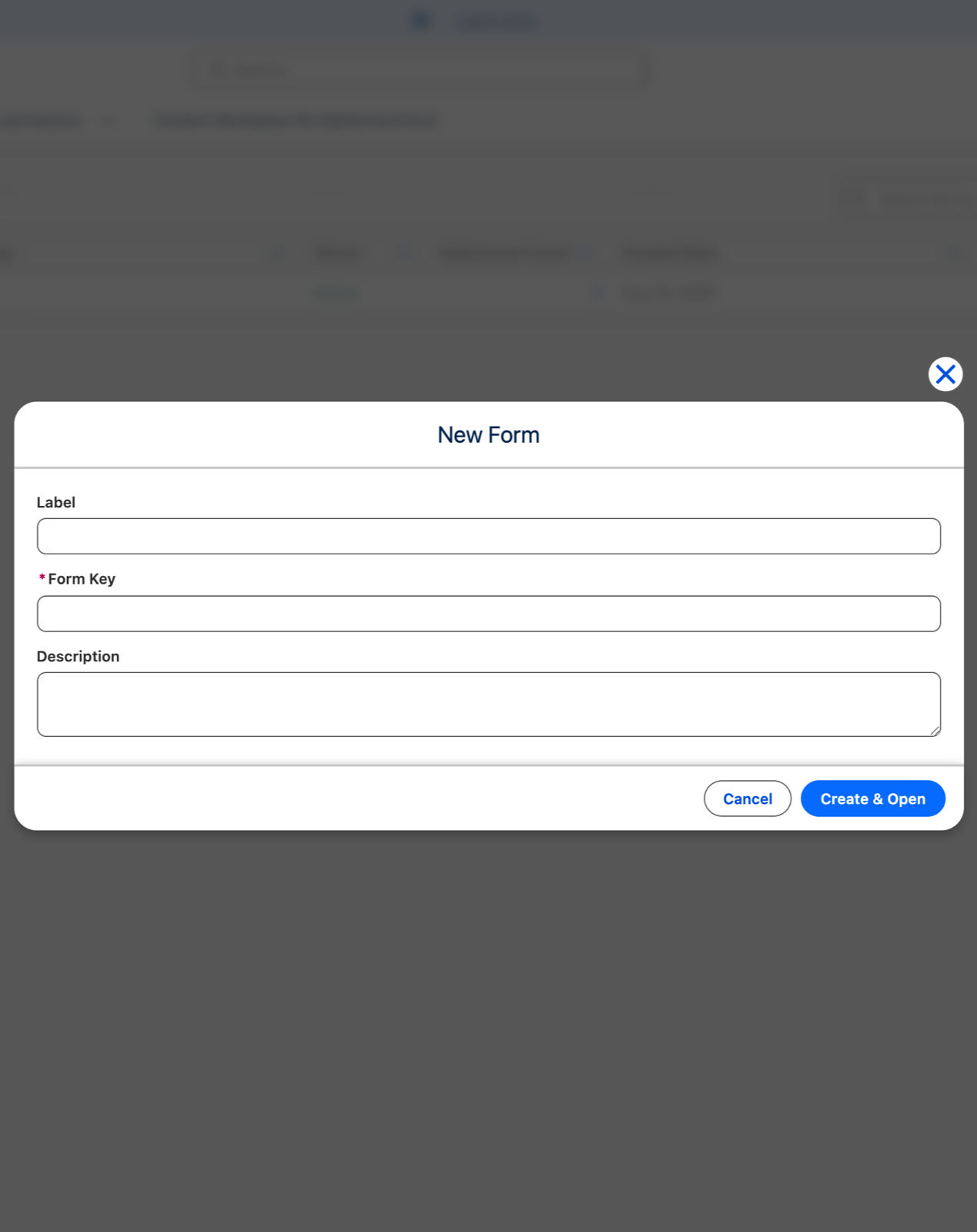
New Form opens a dialog asking for three things:
- Label — required. The human name, shown in lists and in the builder.
- Form Key — required, unique, and the form's public address.
- Description — optional.
Create & Open creates the form and opens it in the Form Builder, ready to configure.
Form Key rules
The Form Key ends up in the public URL (…/forms?f=<form key>), so it must be a URL-safe slug:
- lowercase letters, numbers, hyphens and underscores only
- unique across the org
Anything else is rejected with an inline message on the field, and a key already in use is flagged the
same way. contact-us-1 and energiewet_3 are fine. Contact Us, contact us, and Contact-Us are
not.
The Form Key is permanent. It is shown read-only everywhere after creation and the builder never changes it. Choose something you are willing to live with, and prefer a stable name over one tied to a campaign date.
After creation
You land in the Form Builder with an empty form. The sidebar groups the work into two blocks:
- Form — Form Settings, Purposes, Brand
- Config — Fields, Data Mapping, Submission Actions, Translations, Conditional Logic, End Screens
…plus Health at the bottom.
Across every scope the layout is the same: the scope's primary action (Add section, Add language, Manage brands) sits at the top-right of the panel header, with the scope's items listed as rows below it.