

What visitors see
The published form is not the builder — here is the real layout, branding and progress bar.
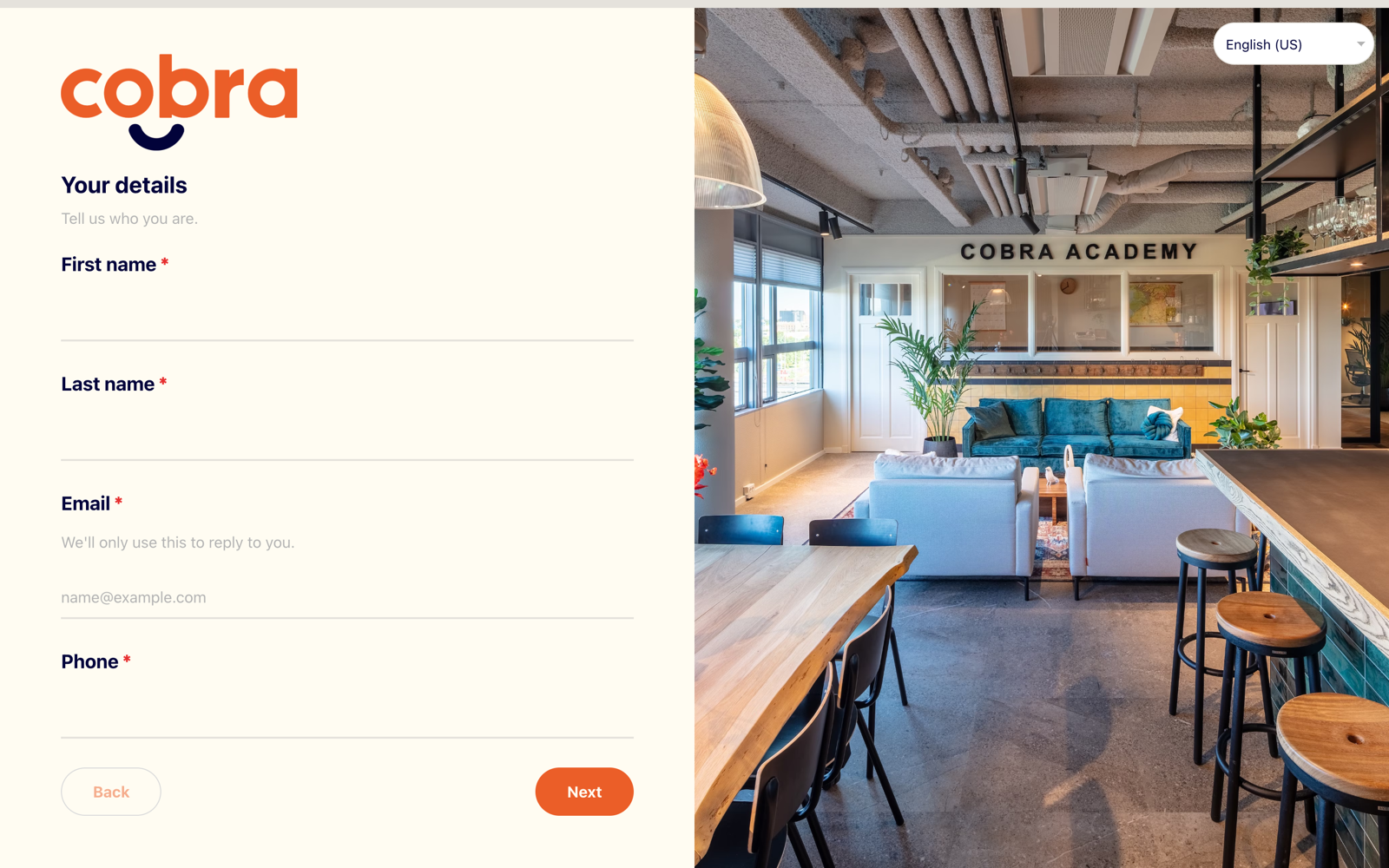
When a form is published on your public site, visitors see it in the Flux Forms branded design — not the Salesforce (SLDS) look of the builder. The form fills the whole screen; there is no site header or footer around it.
The progress bar
On a multi-screen form, a slim progress bar runs edge-to-edge across the very top of the screen.
- It fills as the visitor advances. The first section starts it empty.
- The success message — once the form is sent — is the final step, filling it completely and turning it green.
- If sending fails, it turns red.
- The bar carries no text, but hovering it shows the current section's title.
Below the bar come the section title and subtitle, the fields, and the navigation buttons (Back / Next / Submit), with an optional keyboard hint.
Branding
The form is fully branded from its Branding:
- the primary colour drives the buttons, the progress bar and the accents
- a logo, background, text and optionally heading colours
- the font and the corner radius
See Branding.
Screen layout
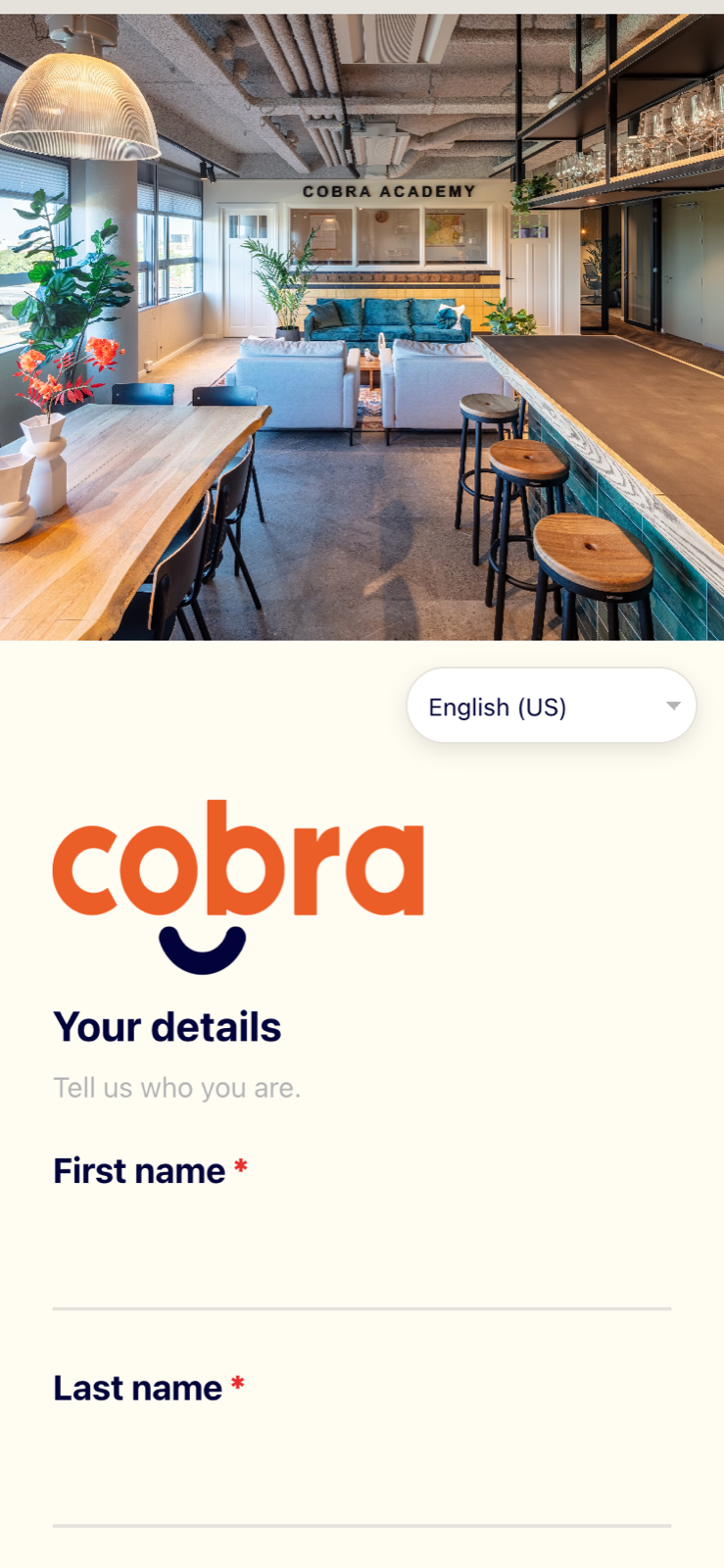
Each screen is laid out one of two ways:
- With a section image — a full-screen split: the fields on one half, the image on the other. On a phone they stack, image first.
- Without an image — a centered column.
On a single-page form with more than one section, each section is shown as its own card with clear spacing between sections. On separate-screens forms there is one section per screen, so no cards are needed.
The language selector
If the form is offered in more than one language, a compact language selector appears in the top-right corner:
- on larger screens with a split layout, it overlays the image
- on a phone it sits just above the fields instead of covering them
A visitor can switch language at any time without losing what they have already entered.
Before you promise a design
The builder's preview is accurate about behaviour and approximate about chrome. Two things only exist on the real published form: the edge-to-edge progress bar and the full-screen split image layout. Open the real link — Open Form in the header — before you sign off on how a form looks.