

Form settings
What you can change about the form itself, and what lives elsewhere.
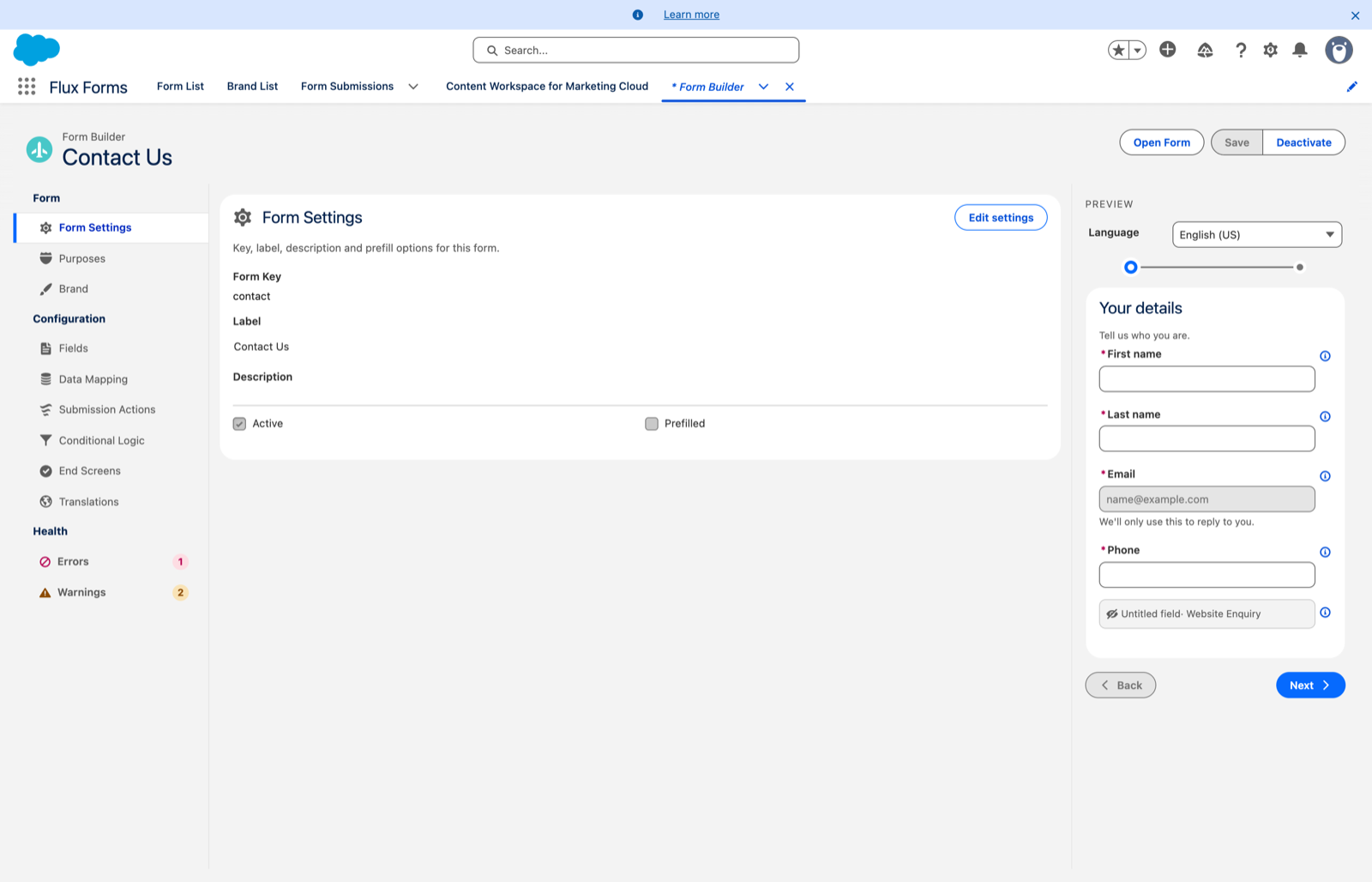
The Form Settings scope shows the form's key details. Click Edit settings to open a dialog.
What you can change here
- Label — the form's name.
- Description — optional.
- Prefilled — whether the form expects to be opened with prefilled data.
Your changes are kept when you Save.
What is deliberately not here
Three things people look for in Form Settings and will not find:
| Looking for | It lives in |
|---|---|
| Form Key | Nowhere — it is fixed at creation and shown read-only. |
| Publishing | The Activate / Deactivate button in the header. See Activate and deactivate. |
| Branding | The Brand scope. See Choose a brand. |
The Label is required. Clearing it and pressing Save is blocked with an inline message — type a name to continue.